Your 2024 Entertainment Setup Isn't Complete Without These Game-Changing Tools
Let's be real: keeping up with entertainment in 2024 is basically a part-time job. Between Netflix dropping entire seasons overnight, live sports colliding with reality TV finales, new music releases landing every Friday, and social media exploding over whatever just happened on the latest prestige drama — it's a lot. Like, a lot a lot.
But here's the thing: you don't have to choose between staying on top of everything and maintaining your sanity. The right setup can make you feel like you've got a personal entertainment assistant working around the clock — which, if you think about it, is exactly what a good 24/7 platform should feel like.
Consider this your blueprint.
Step 1: Start With a Single Unified Tracker
The first mistake most people make is trying to track releases across platforms individually. You've got the Netflix app, the Max app, the Hulu app, the Apple TV+ app — and none of them talk to each other. It's chaos.
The fix? A unified entertainment tracker. Apps like Reelgood, JustWatch, and TV Time pull together your watchlists and release schedules from across every major platform into one clean dashboard. You can see exactly what's dropping this week, what's leaving a service soon (RIP to whatever you've been meaning to watch for six months), and what your friends are watching.
JustWatch in particular is clutch for the budget-conscious viewer — it tells you which service currently has a specific title so you're not paying for four subscriptions to find something you could've rented on Amazon for $4.
Pro tip: Set aside 10 minutes every Sunday to check your tracker for the upcoming week. Think of it as your entertainment meal prep.
Step 2: Get Your Notifications Under Control
Notifications are a double-edged sword. Too few and you miss the drop. Too many and you're muting everything by Wednesday.
Here's a tiered approach that actually works:
- Tier 1 (Immediate alerts): Reserve these for your absolute must-watch content — the shows you genuinely cannot be spoiled on. Turn on push notifications from the streaming app directly for these titles only.
- Tier 2 (Daily digest): For everything else — new music, movie trailers, trending shows — use an app like Google Alerts or Notified to bundle updates into a single daily summary. You get the info without the constant buzzing.
- Tier 3 (Weekly check-in): Less urgent stuff — upcoming releases two or three weeks out, awards season buzz, festival announcements — just bookmark a few reliable entertainment newsletters. The Ringer, Vulture, and Variety's weekly digest are solid picks.
The goal is making sure the stuff you genuinely care about cuts through, while everything else gets batched into a time you actually choose to engage with it.
Step 3: Build Your Physical Setup
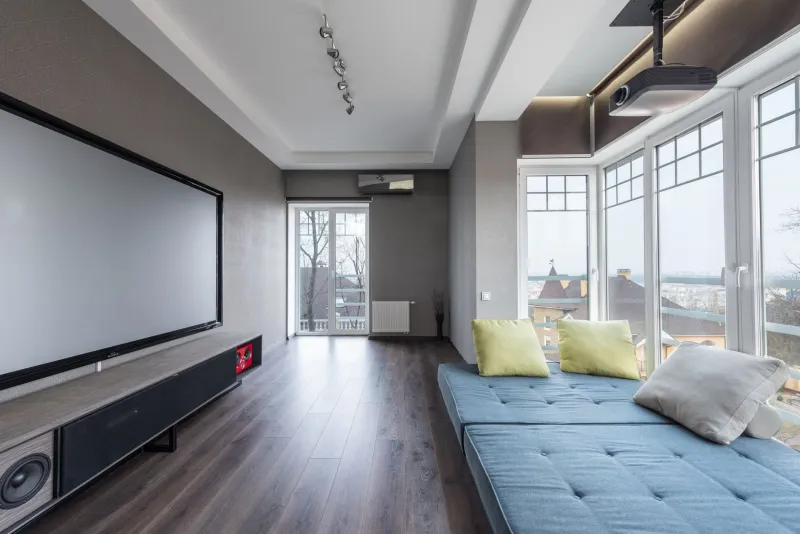
Okay, this is where things get fun. Your actual viewing environment matters more than people give it credit for.
The screen situation: If you're serious about your setup, a second screen is a game-changer. Not necessarily a second TV — even a tablet propped up next to your main screen lets you keep social media, a live chat, or a second stream running without constantly switching inputs. A cheap tablet stand or monitor arm makes this feel intentional rather than chaotic.
Sound: A solid soundbar does more for your viewing experience than almost any other upgrade. You don't need to spend a fortune — mid-range options from Vizio or TCL in the $150–$250 range will transform how you watch. If you're in an apartment and can't go loud late at night, a decent pair of wireless headphones (Sony's WH-1000XM5 or even the more affordable Anker Soundcore Q45) let you get fully immersed without bothering anyone.
Lighting: Bias lighting — those LED strips you put behind your TV — isn't just aesthetic. It genuinely reduces eye strain during long sessions. Govee and Philips Hue both make solid options that sync with your screen content. Your eyes will thank you after a four-episode binge.
Step 4: Master the Art of the Watchlist
A watchlist with 200 titles on it isn't a watchlist. It's a graveyard.
Keep your active watchlist to 15–20 titles max and be ruthless about it. A good rule of thumb: if you've had something on your list for more than three months and still haven't clicked on it, you're probably not going to. Let it go.
Organize by mood category rather than platform. Something like:
- "Need to focus" — prestige dramas, complex docs, foreign language films
- "Half-attention" — reality TV, competition shows, comfort rewatches
- "Background noise" — cooking shows, travel content, low-stakes series
When you sit down to watch and you're tired or distracted, you'll actually pick something instead of scrolling for 20 minutes and giving up.
Step 5: Find Your Community Layer
Watching alone is fine. Watching with people — even virtually — is better.
Discord has honestly become the best place for fandom community in 2024. Almost every major show, movie franchise, and sports league has an active server. Find two or three that match your interests and actually participate. The pre-release hype, the live reaction threads, the post-episode breakdowns — that's where entertainment becomes a shared experience rather than a solo one.
For live events specifically, Teleparty (formerly Netflix Party) lets you sync playback with friends and watch together in real time with a shared chat sidebar. It works across Netflix, Hulu, HBO Max, and Disney+. Perfect for watch parties when you can't physically be in the same room.
And don't sleep on Letterboxd if you're a movie person. It's part social network, part film diary, and the community recommendations are genuinely better than any algorithm.
Step 6: Automate the Boring Parts
If you're really committed to the command center life, a little automation goes a long way.
IFTTT and Zapier let you build simple automations — like getting a text message when a specific show drops a new episode, or having new music releases from your favorite artists automatically added to a Spotify playlist. You set it up once and it just runs.
For smart home folks, programming a "Watch Mode" scene into your smart home system (Alexa, Google Home, or Apple HomeKit) that dims the lights, turns on bias lighting, and switches your TV to the right input with a single voice command is the kind of small luxury that makes your setup feel genuinely polished.
The Bottom Line
You don't need to be a tech wizard or spend thousands of dollars to build an entertainment setup that keeps you connected to everything happening in the content world. A few smart apps, some intentional notification settings, and a physical space designed for actual watching will take you 90% of the way there.
The entertainment world never sleeps — and with the right tools, neither does your access to it. That's the whole idea behind always-on entertainment, and honestly? It's a pretty great time to be a fan.